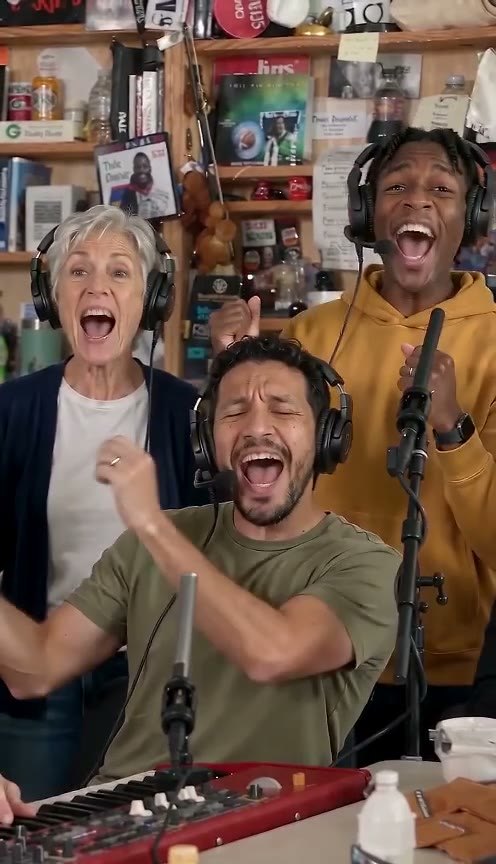
The Outstanding Tiny Desk AI template, ready to use
The Outstanding Tiny Desk AI template, with the viral cuts and the song in place. Upload one photo, fill the lead and sax spots, get the 15-second 9:16 clip.
Example
The Outstanding set, with a new lead
Tap a cut to jump to it, or tap the video for sound.
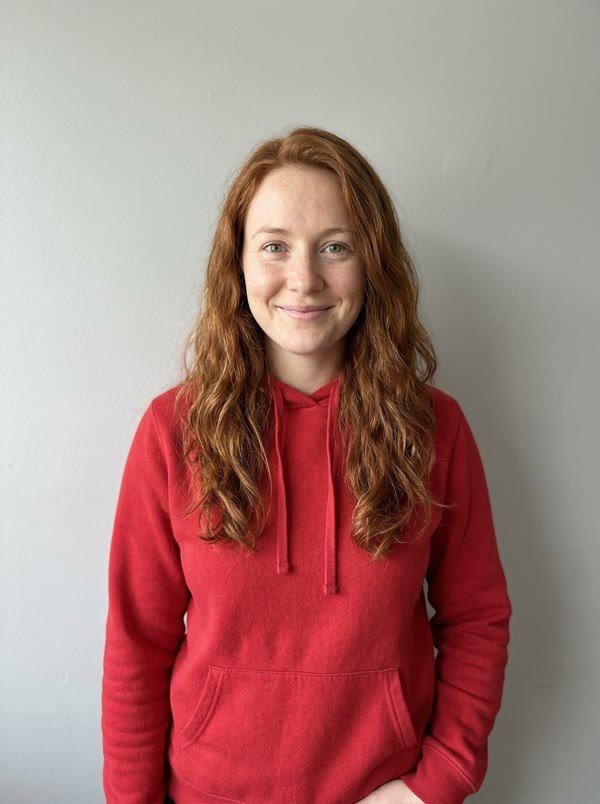
1 photo in
AI-generated example photo
Outstanding clip out
About 15 s · 9:16 · with the song
The cuts in the clip
The Outstanding Tiny Desk AI template is the end of Charlie Wilson's NPR Tiny Desk "Outstanding," already cut the way the meme uses it, with the song in place. You don't edit anything. You choose who sings lead, optionally who plays the sax, and get back a finished vertical video.
What's in the template
Four beats, in the order the viral versions made famous, before the band comes back to close it out:
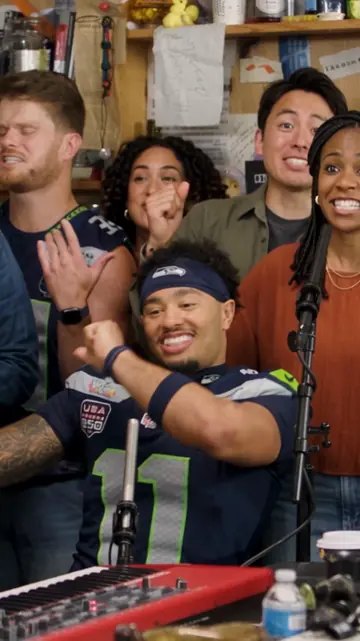 1 · The band
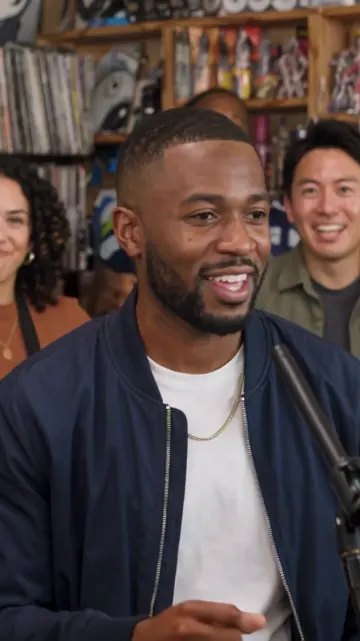 2 · Lead up close
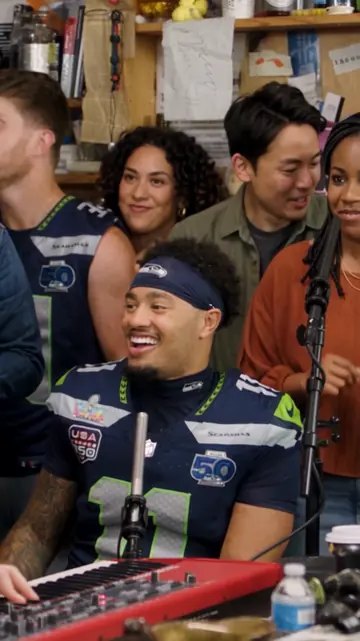 3 · The big laugh
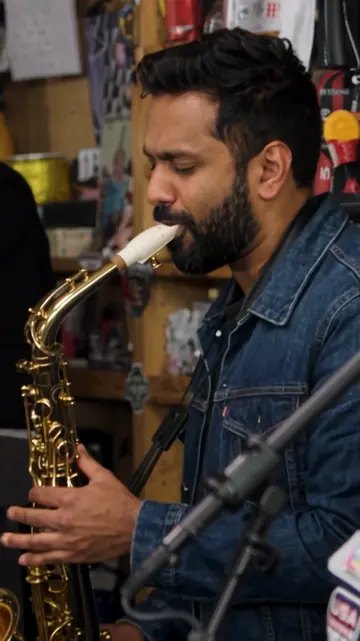 4 · The sax solo
- The cuts and the timing. Every shot change lands where it does in the original, so the clip reads instantly as the meme.
- The song. The original "Outstanding" audio runs under the whole clip, in sync with the cuts.
- The room. The desk, the shelves, the lamps and the keyboard up front all stay as they are.
The output is about 15 seconds, vertical 9:16, an HD 768p MP4 with no watermark.
What happens in the 17-second Outstanding Tiny Desk AI example
This is the example made from one AI-generated photo, broken down second by second from its actual frames. The lead's line and the big laugh are one continuous close-up; the sax solo and the band bookend it. Your video keeps the same order of cuts and runs about 15 seconds.
| Time | Shot | What you see |
|---|---|---|
| 0–1 s | 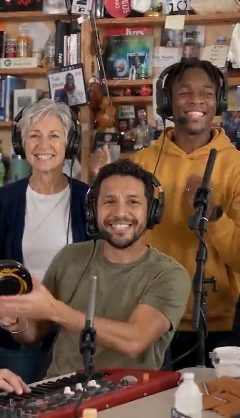 The band The band | The full desk. The keys player at the red keyboard sings with a fist up; a grey-haired singer and a singer in a mustard hoodie belt it out behind him. |
| 1–2 s | The band | The keys player pumps his arm while the back row is mid-shout. |
| 2–3 s | The band | Everyone breaks into grins; the keys player looks straight down the lens. |
| 3–4 s | The band | The grin spreads along the back row as the keys player keeps smiling at the camera. |
| 4–5 s | The band | The keys player turns to his left, still beaming, as the band holds the groove. |
| 5–6 s | 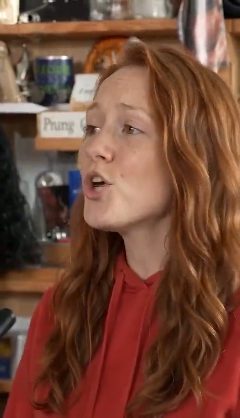 Lead up close Lead up close | Cut to the lead singer in a tight close-up, singing the line off to the side. |
| 6–7 s | Lead up close | Still on the line, eyes closing on the held note. |
| 7–8 s | 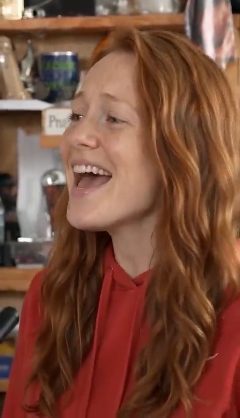 The big laugh The big laugh | The lead breaks into the wide-open laugh the whole meme hangs on. |
| 8–9 s | The big laugh | Still grinning, with a quick glance off camera. |
| 9–10 s | Lead up close | Back into the chorus, mouth wide open. |
| 10–11 s | Lead up close | A hand comes up to sell the line to the room. |
| 11–12 s | Lead up close | Eyes shut, a satisfied smile, then the cut. |
| 12–13 s | 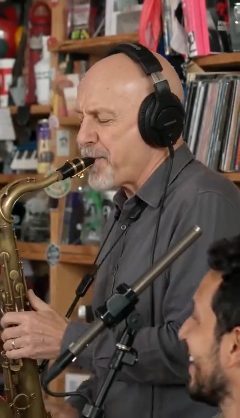 The sax solo The sax solo | Close-up on the sax player blowing the solo, played by an AI musician here, with the keys player grinning in the foreground. |
| 13–14 s | The sax solo | The solo keeps going; the keys player laughs at the bottom of the frame. |
| 14–15 s | The sax solo | The last notes of the solo, still in tight close-up. |
| 15–16 s |  The band again The band again | Back to the wide desk shot; the keys player sings with his eyes closed. |
| 16–17 s | The band again | The singer in the mustard hoodie throws a fist in the air. |
| 17–17.7 s | The band again | The whole band sings out the ending. |
Which spots you fill
| Spot | Who plays it | What you upload |
|---|---|---|
| Lead singer | Your person | One clear, front-facing photo (required) |
| Sax | A friend, or an AI musician | One photo (optional, no extra cost) |
| Keys | An AI musician | Nothing |
| Back row | AI musicians | Nothing |
That's the whole cast list. The lead singer takes Charlie Wilson's part, including the big laugh close-up, which is why the lead photo matters most.
Why it starts on the band shot
The meme is recognised by its room before anyone's face: a crowd of musicians wedged around a little desk, the red keyboard up front. Opening on the band tells viewers what they're watching in the first second, so when the cut lands on your lead mid-laugh, the joke is already set up. Starting anywhere else makes it look like a random concert clip.
A CapCut template or this one?
A CapCut template gives you the cuts and the song, but you still need footage of your person doing each beat, or you're pasting a still photo over a moving video. It's fiddly, and the face never moves with the music.
This template is generated: the AI animates your lead through the performance, so the face sings, laughs and reacts on cue. You upload a photo instead of editing a timeline, and you get a clip that matches the viral versions.
Using the template
- Scroll up to the Tiny Desk AI generator on this page.
- Drop a photo on the Lead singer seat.
- Optionally add a friend on the Sax seat.
- Confirm it's a parody and make the video. It uses 10 credits.
- Download the MP4 and post it. If an app mutes the song, add "Outstanding" from its music library.
Full photo tips are in the step-by-step guide, and prices are on the pricing page.